How Trane Smart Thermostats Protect Your Privacy & Security
Key takeaways:
• The Trane Home App is secured with a strong password and optional biometrics log-in, and adding a new user requires a 12-digit code.
• Trane Diagnostics is end-to-end encrypted.
• We push regular updates to the App and to your smart thermostat.
• We have a stringent privacy policy.
By Anne Fonda
Trane smart thermostats have been named a 5-Star Most Trusted Smart Thermostat Brand in America’s Most Trusted® Study for 7 years in a row (2020-2026). If you’re not already a Trane customer, you might not know that we include a smart thermostat with newly installed systems.
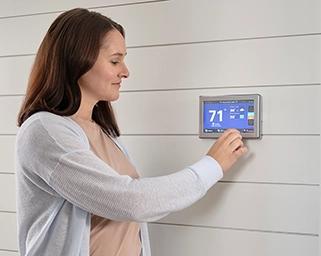
Our smart thermostats can help you save energy, set your temperature preferences, control them with an app, and offer features that the other guys simply can’t. If you’re hesitant to upgrade to a smart thermostat because you’re concerned about data privacy and security, you’ll want to read this.
We recommend cybersecurity best practices
“Technology changes fast, and we make a point to check our systems regularly. Our teams run structured security reviews and penetration tests to help us find weak spots before someone else does. It’s just part of being responsible with the connected products we put into people’s homes.”
- Caitlin Butler, Product Manager, Thermostats and Home App
Since smart thermostats connect to the internet, for your privacy and security, you’ll want to follow cybersecurity best practices. The first few points below are general best practices.
- Ensure your router is set to the latest security protocol, either WPA2-Personal (AES) or WPA3-Personal Transitional.
- Change the SSID (router name) from the default to a new and unique name.
- Change the default admin password to a new one.
- Choose a strong and unique wireless passphrase.
- Consider having a guest Wi-Fi network if you have a lot of guests.
- Use a strong password for your Trane Home account and do not share it. Each user should have a unique password.
- On the Link (UX360) thermostat, it is recommended that you disable Bluetooth discoverability when it is not in use.
By following these best practices, you can avoid someone hacking into your home Wi-Fi network because they used the default password to access your router or because they used a password you’ve used before that was disclosed in a data breach.
In either situation, they would not be able to gain access to your HVAC system if you use a strong and unique password and don’t share it.
Trane Diagnostics data is encrypted end-to-end
“With Trane Diagnostics, homeowners are in complete control when sharing their HVAC data with a dealer. By opting in and keeping Dealer Remote Access approval in their hands, they will always be in the know of who has access to their home’s encrypted system information.”
- Carla Kandalaft, Associate Product Manager, Residential HVAC Software
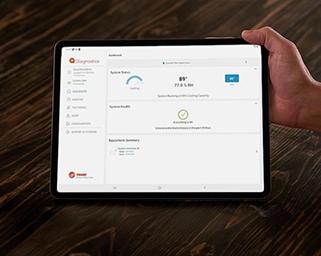
With a Trane smart thermostat, you’re eligible to opt into Trane Diagnostics via the Home App. By opting in, you agree to have your Trane smart thermostat send HVAC performance data to your dealer. This remote monitoring capability allows your dealer to see trends and spot small problems before they become big ones. They will also receive system alerts.
What the dealer sees
With remote HVAC monitoring, your Trane dealer can see:
- HVAC system configuration
- Thermostat settings
- HVAC system run times
- System performance
- Filter health
- And other HVAC-specific data
They may ask for remote access if they spot an issue that needs troubleshooting, or if they believe they can solve a problem remotely. HVAC remote diagnostics is sort of like how your work IT person in another state asks for remote access to your computer to fix an issue you’re experiencing.
If your dealer can’t solve the problem remotely, they’ll send an HVAC technician to your home. They’ll arrive with the right parts and the knowledge gained from remote troubleshooting.
What the dealer doesn’t see
Your dealer doesn’t see anything about your home Wi-Fi network, such as the network name and password. Neither do they see anything about any other smart home devices you might have. They only see your HVAC system. Your data remains encrypted and secure.
"We value ensuring you, as the homeowner, are always aware of and in control of what is happening with your system at any given time. No one has access to your thermostat and HVAC data without your permission, and we design our systems with your security in mind."
- Carla Kandalaft, Associate Product Manager, Residential HVAC Software
Utility savings/demand response programs still give you control
Utility Savings/demand response programs are run by your local utility company, and you have a choice to opt in via the Home App. This gives your utility company permission to adjust your thermostat settings remotely during peak usage periods, as outlined in their policy. You can override a Utility Savings Event, so you’re always in charge.
If you don’t opt in, the utility company has no control over your thermostat settings. At no time does the utility company have access to any other devices on your home network. You retain your privacy and security.
Our smart thermostat privacy policy is robust
You have the choice to opt out or choose to allow Trane Technologies to disclose your information to a third party. This might include disclosing your name, address, and email for business purposes, such as customer service, technical assistance, or storing and transmitting data.
Trane Technologies does not sell your personal information.
Read the full privacy policy.
Questions about our smart thermostats?
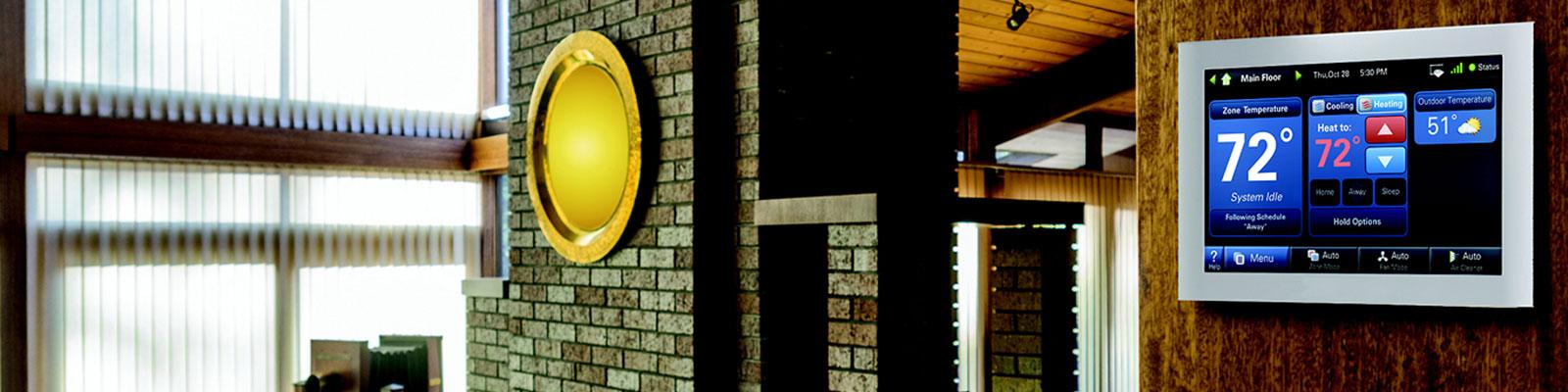
Interested in learning more about our smart thermostats? You should know that even if you don’t have a Trane HVAC system, you can still install the Trane XL824 smart thermostat. It’s compatible with most HVAC systems.
Anne Fonda
Content Writer, Trane Technologies
A Content Writer with Trane Technologies, Anne Fonda researches topics and writes for Trane® and associated residential HVAC brands. She works in collaboration with Trane Technologies subject matter experts, offering easy-to-understand, informative content on complex topics. Her goal is to help consumers make informed decisions on the products and services they need.
She has written for HVAC and other service provider websites for over 16 years. Before transitioning to web content writing, Anne had a 14-year stint as an award-winning journalist. She graduated cum laude from the University of Missouri-Columbia School of Journalism.
When she’s not working, Anne enjoys playing word games, reading, gardening, spending time with family, and visiting gardens and museums.
Expert review by Caitlin Butler, Product Manager, Thermostats and Home App; and Carla Kandalaft, Associate Product Manager, Residential HVAC Software
Related Articles